Benchmark Reports
Description
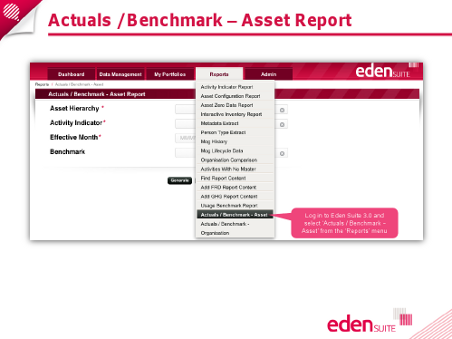
The Actuals / Benchmark – Asset export report can be used to compare actual usage data for an asset against profiles created for the asset, and against benchmarks for the asset’s type.
The Actuals / Benchmark – Organisation export report can be used to compare actual usage data for an organisation against profiles created for the organisation, and against benchmarks for the organisation’s type.
The Usage Benchmark Report is a chart view of normalised usage data plotted against a selected set of benchmarks. It provides a graphical view of normalised usage similar to the Activity Indicator report, but allows the user to nominate benchmarks to be displayed alongside.
Key Terms and References
Hints and Tips
The Actuals / Benchmark – Asset export report will only consider Performance Profiles and Benchmarks for Attribute Activity Indicators. The Actuals / Benchmark – Organisation export report will only consider Performance Profiles and Benchmarks for Attribute Activity Indicators.
If no data is found, it can be helpful to use the Activity Indicator report to verify that there is in fact normalised usage data for the assets or types in question. This first check may help to identify where assets/organisations are missing attributes required by the activity indicator. If there is still a lack of data, this may be due to a number of reasons:
- There are no Performance Profiles for the assets/organisations in the selected hierarchy
- There are no Performance Profiles for the assets/organisations in the hierarchy for the selected activity indicator
- There are no Performance Profiles for the assets/organisations in the hierarchy for the selected activity indicator in effect for the Effective month
- There is no usage data for the asset/organisation in the hierarchy in the month range of its Performance Profile
- There are no Benchmarks for the asset/organisation types of the assets/organisations in the selected hierarchy
- There are no Benchmarks for the asset/organisation types of the assets/organisations in the selected hierarchy for the selected activity indicator
If the Benchmark Type = Asset Type, only Attribute Activity Indicators will be available.
If the Benchmark Type = Organisation Type, Attribute and Normaliser Activity Indicators will be available.