Scope 3 Supply Chain Calculator
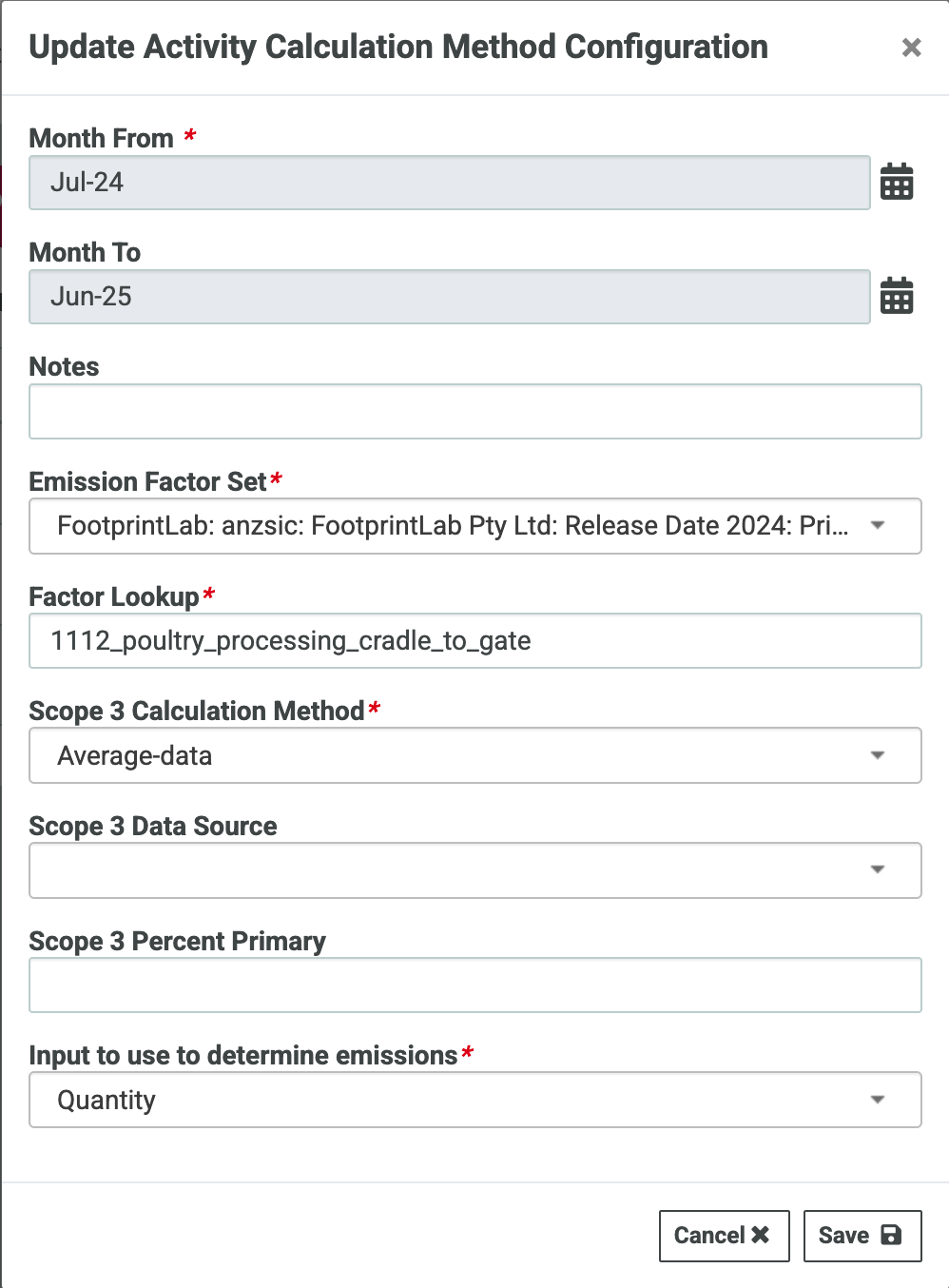
The Scope 3 Supply Chain calculator has a number of configurations that MUST be specified for emissions calculations to occur. These are set in an Activity Calculator Configuration with an effective month range.
- Emission Factor Set (emission factor set containing the relevant factor)
- Factor Lookup (lookup key for the relevant emission factor)
- Scope 3 Calculation Method (Note: this selection has no impact on the emissions calculation but features in reporting)
- Input to use to determine emissions
- co2e : the input value of t CO2-e will be used as the emissions and no calculation or factor lookup will occur.
- Quantity : the input value of Quantity will be used with an emission factor selected by the Factor Lookup and the activity unit
- Cost : the input value of Cost will be used with an emission factor selected selected by the Factor Lookup and unit = Dollars
Example:
Data Entry
When entering data for an activity configured with the Scope 3 Supply Chain calculator, there are three available inputs. The input selected in Input to use to determine emissions in the Activity Calculator Configuration MUST be specified in the data record and cannot equal zero.
t CO2-e = A<unit> * EF<unit> / 1000
where
A = amount of unit (A may be Quantity or Cost)
EF = Scope 3 emission factor (kg CO2-e / unit) (unit may be the activity unit or Dollars)
If t CO2-e is provided but Input to use to determine emissions is not “co2e”, the entered value will be saved but will not be used in emissions calculation.
Example:
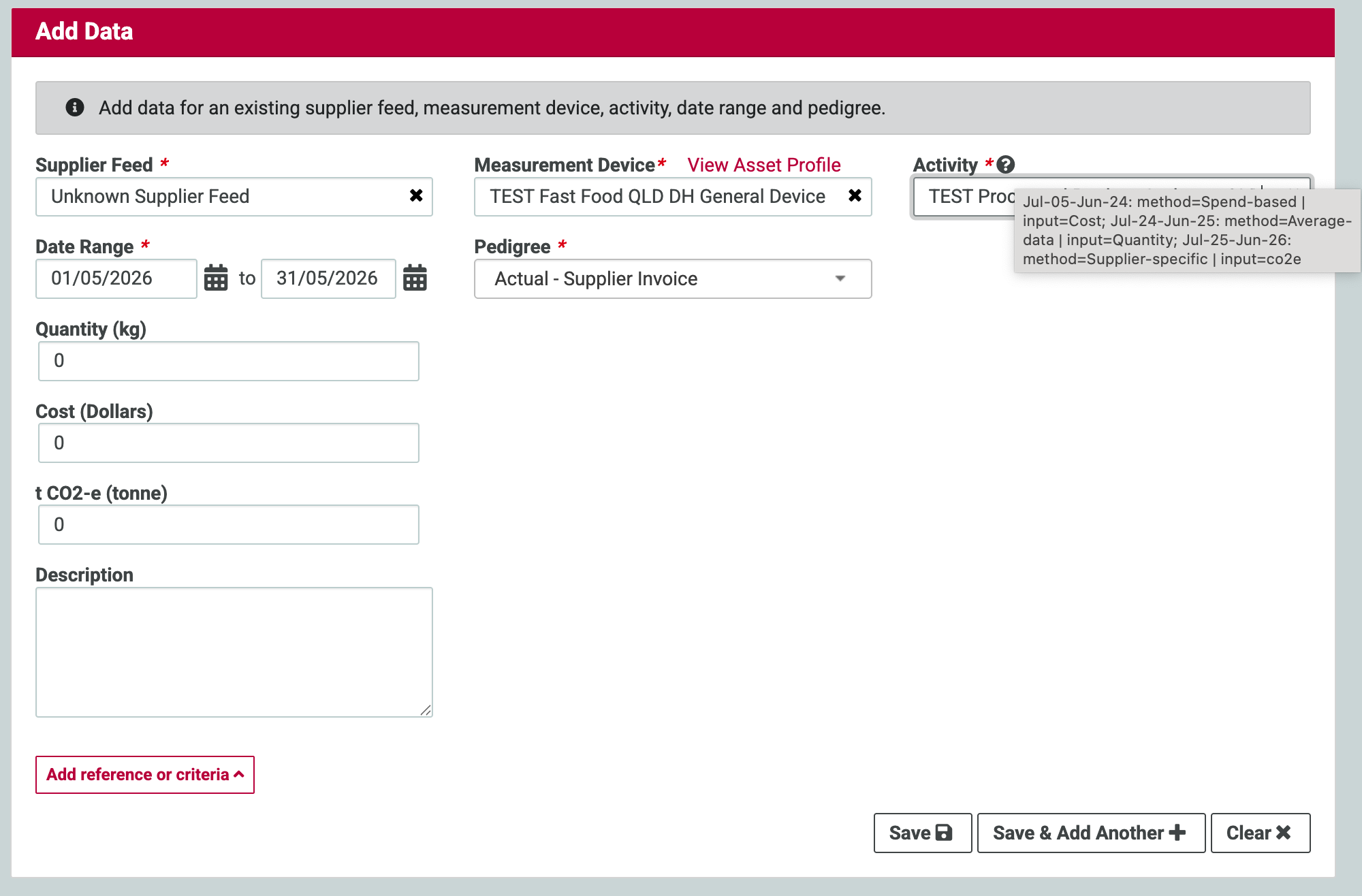
When adding data for an activity with report_scope = 3 and linked to the Scope 3 Supply Chain calculator, the tooltip on the Activity input will display the configurations and their effective ranges.
In this example, the data date range falls within the configuration for Jul-24 to Jun25 which requires Input=Quantity. All of Quantity, Cost, and t CO2-e can be entered, but only Quantity will be used to calculate emisisons.
